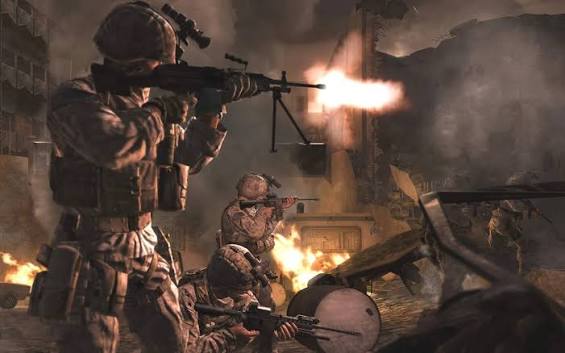
A controller setup shouldn't feel like another opponent. If you're using CoD MW4 Bot Lobbies to practise, keep your controls consistent enough to notice what actually needs work. Missed shots aren't always a sensitivity problem. Sometimes you're squeezing the stick, rushing your first shot, or trying to turn before you've spotted the target. Start with something comfortable, then test it through actual movements. A setup that feels quick in an empty room can feel twitchy once you're tracking someone across a doorway.
Separate turning speed from aiming control
Think about two different jobs. Your regular sensitivity gets the camera pointed towards trouble. Your ADS sensitivity handles the smaller corrections once you're looking through the sights. They don't need to feel equally fast. If you can turn comfortably but keep sweeping past someone's shoulder while aiming, leave the camera speed alone and adjust ADS instead, where that option exists. Otherwise, you're fixing one problem by creating another. Make a small change, repeat the same tracking exercise, and watch where your crosshair stops.
Deadzone deserves its own test. Put the controller down and check whether the view moves without an input. If it does, increase the relevant stick's deadzone just enough to settle it. Don't push everything higher because one stick feels worn. Too much deadzone can make tiny corrections feel delayed. Too little can leave you fighting unwanted movement. Aim assist won't replace that basic check, either. Keep its available options steady while testing sensitivity, so you know which adjustment made a difference.
Give quick settings a proper test
The Meta: Copy a quick setup and chase faster turns.
The Snag: Your crosshair sails past targets when fights get close.
The Fix: Slow down the troublesome input and repeat the same drill.
Reality check: You can spend an evening tweaking sliders and still miss because you entered the room staring at the floor.
Match the adjustment to the miss
Before touching another slider, describe what's going wrong in plain English. "My aim feels off" doesn't give you much to work with. "I overshoot when aiming through sights" does. These aren't universal presets. They're starting points for testing, without guessing at numbers or assuming every controller behaves the same way.
What you notice What to test What to watch
Overshooting through sights Lower ADS response Smaller corrections
Unwanted stick movement Slightly higher deadzone Stable resting aim
Slow camera turns Higher general sensitivity Controlled stopping
Keep a note of your starting settings before testing. If the change feels worse after repeated attempts, put it back instead of compensating elsewhere.
Do you really need rear buttons
Someone always asks whether a standard controller can keep up when jumping means lifting your thumb off the aiming stick. It's a fair question, especially if you keep losing the target during movement. But first check whether another available button layout puts your most-used action somewhere easier to reach.
No, you don't need rear buttons. They can help, but a comfortable layout and deliberate practice matter more than adding inputs you barely use.
Keep the setup long enough to learn it
Once the controls feel predictable, stop changing them every match. Practise moving around a corner with your crosshair already at a useful height. Track while strafing. Switch between looking freely and aiming through sights without jerking the stick. Boring stuff, sure, but it gives you something repeatable to judge. If you're considering MW4 Open Beta Early Access Codes for sale, check the stated platform, timing, and access conditions before making plans. When you get time to play, learn the available controls first. Your setup should make practice easier, not become the whole evening.
Make yourself at home at U4GM. Getting your MW4 aim to feel right Try small sensitivity tweaks and a button layout that suits your hands. Explore practice options at u4gm Whether you're new or finding your rhythm, take your time, test one small change at a time, and build controls you're really comfortable with.