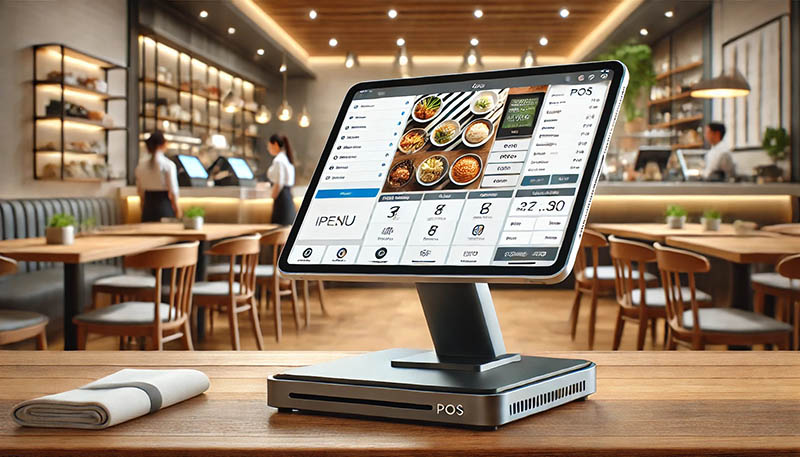
POS Software: The Complete 2026 Buyer's Guide
Choosing the right POS software shapes how a business processes payments, tracks inventory, and understands its own performance day to day. What used to be a simple cash register has evolved into a connected system that touches nearly every part of running a business. This guide breaks down what POS software actually does, the features worth prioritising, and how to evaluate providers before committing to one.
What POS Software Is and Why It's Important
POS software is the program that runs a business's point of sale — the platform that processes transactions, updates inventory in real time, and records the data needed for reporting and accounting. It typically pairs with hardware such as tablets, card readers, or fixed terminals, but the software itself is what determines how flexible, reliable, and useful the system actually is.
Modern POS software has moved well beyond ringing up sales. It now connects payments, stock management, staff scheduling, and customer relationship data into a single operational view, replacing the disconnected spreadsheets and standalone tools many businesses relied on in the past.
Core Functions of POS Software
Processing card, contactless, and digital wallet payments
Tracking inventory levels and triggering reorder alerts
Generating sales, tax, and staff performance reports
Managing customer profiles and loyalty programmes
Syncing in-store and online sales channels
Crucial Elements of POS Software
Not all POS software is built for the same type of business, so it's worth evaluating options against specific, practical criteria rather than choosing based on brand recognition alone.
Ease of Use and Staff TrainingSoftware that requires extensive training slows down onboarding, especially in businesses with high staff turnover. A well-designed interface should let a new employee process a sale correctly within minutes, not hours.
Payment Processing Flexibility
Good POS software should support the payment methods customers actually use — contactless cards, mobile wallets, and QR-based payments — without forcing a business into a single, restrictive payment processor.
Inventory and Stock Management
For product-based businesses, real-time inventory tracking is one of the most valuable features POS software offers. It should flag low stock automatically, support barcode scanning, and, for multi-location businesses, show stock levels across every site from one dashboard.
Reporting and Analytics
Detailed reporting turns raw transaction data into decisions. Look for software that shows best-selling products, peak trading times, and staff performance without requiring manual exports or spreadsheet work.
Integration With Other Business Tools
POS software rarely operates in isolation. It should integrate cleanly with accounting platforms, e-commerce stores, and payroll systems, avoiding duplicate data entry across multiple tools.
Cloud-Based vs. On-Premise POS Software
Cloud-based POS software runs through the internet, with data stored off-site and updates applied automatically. On-premise software, by contrast, is installed locally and typically requires in-house IT support to manage updates, backups, and security.
Advantages of Cloud-Based POS Software
Cloud systems generally offer lower upfront costs, automatic updates, and the ability to check sales and inventory remotely from any device. For most small and medium businesses, this has made cloud POS software the more practical default.
Reliable POS software Pakistan businesses use can simplify sales, inventory, payments, reporting, and everyday business management.
When On-Premise Software Still Makes Sense
Large enterprises with highly customised workflows, strict data residency requirements, or unreliable internet connectivity may still prefer on-premise systems, though this is becoming less common as cloud reliability improves.
Choosing POS Software by Business Type
Different industries need different capabilities from their POS software, and the right fit depends heavily on how a business actually operates.
Retail
Retail businesses benefit most from strong inventory tools — barcode scanning, stock forecasting, and multi-location syncing — to reduce waste and prevent stockouts.
Hospitality
Restaurants, cafés, and bars need POS software built around table management, split billing, and direct order routing to the kitchen.
Service-Based Businesses
Salons, clinics, and appointment-driven businesses benefit from POS software that integrates booking calendars with payment processing and staff commission tracking.
Multi-Channel and E-Commerce
Businesses selling both online and in-store need POS software that syncs inventory and sales across every channel in real time, preventing overselling and mismatched stock counts.
How to Evaluate POS Software Before Committing
Before signing a contract, it's worth asking providers a short set of direct questions:
What is the full cost, including software fees, hardware, and payment processing rates?
Does the system work offline if the internet connection drops during trading hours?
How responsive is customer support, and is it available during actual business hours?
Can data be exported easily if the business switches providers later?
Does the software scale to additional locations or staff without a costly upgrade?Getting clear answers to these questions upfront reduces the risk of a disruptive, expensive switch later on.
Frequently Asked Questions
What is POS software used for?
POS software processes sales transactions and connects that data to inventory, reporting, and customer management, giving businesses a real-time view of their operations.
Is cloud-based POS software reliable for small businesses?**
Yes. Cloud-based POS software typically offers lower upfront costs, automatic updates, and remote access to sales data, making it a practical choice for small and growing businesses.
Does POS software work without an internet connection?**
Many modern POS platforms include an offline mode that allows transactions to continue during an internet outage, syncing data automatically once connectivity is restored. This varies by provider, so it's worth confirming before purchase.
Can POS software manage both online and in-store sales?**
Yes, most modern POS platforms support omnichannel selling, syncing inventory and sales data across online stores and physical locations from a single system.
Final Thoughts
The right POS software depends on matching a business's size, industry, and sales channels with a system built for how it actually operates day to day. Businesses that prioritise ease of use, reliable payment processing, and strong integration options are better positioned to reduce operational friction and make faster, data-backed decisions as they grow.
Explore trusted industry resources for useful insights, business solutions, and the latest technology updates.